
Typography
Manage how fonts are used in your emails
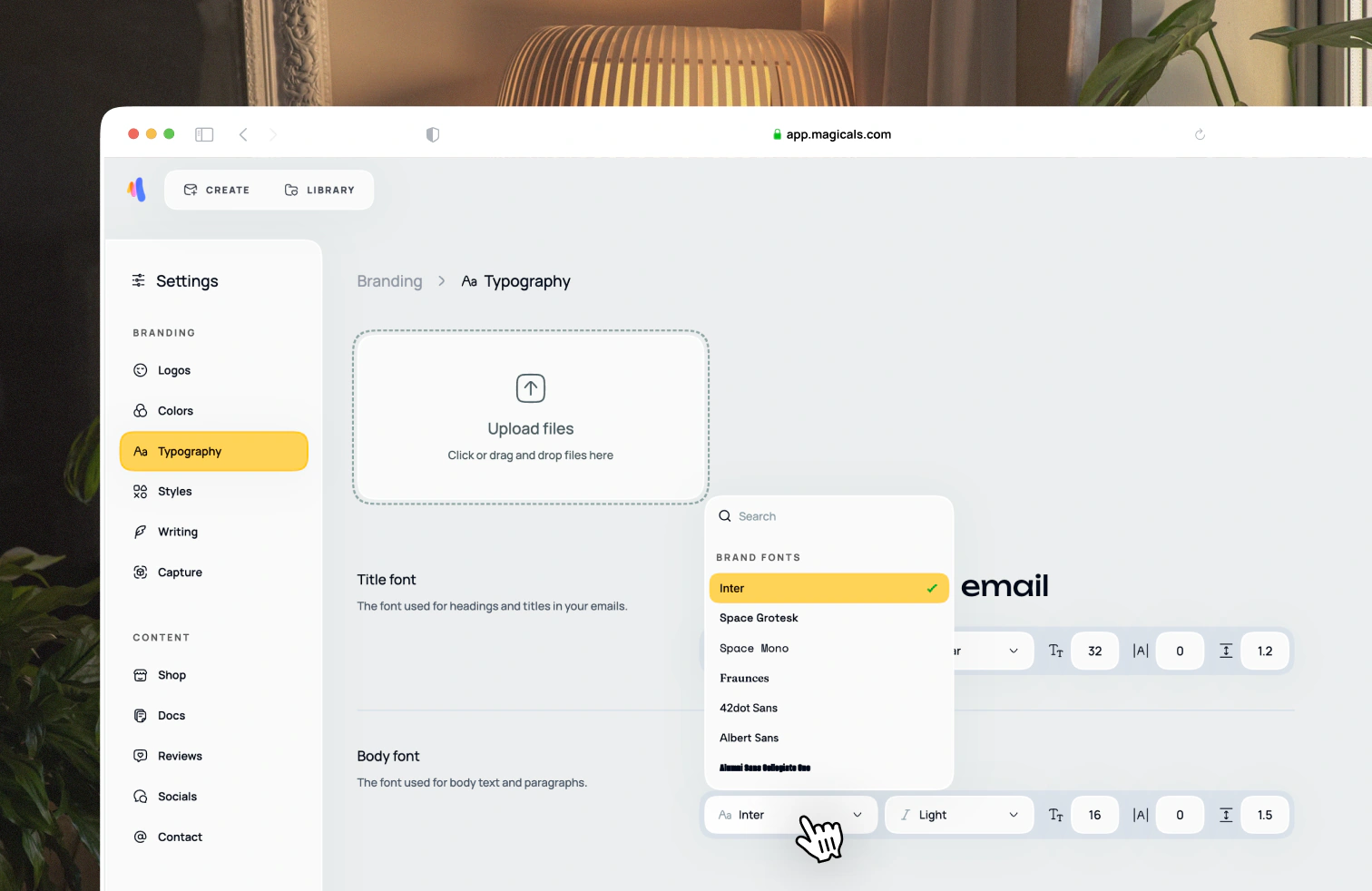
Open Settings → Branding → Typography. Fonts are used in two ways: title and body text. Adjust the font style and all future email designs will use the new styling. To change the font style for buttons, visit the Settings → Styles page.
Uploading your own fonts
You can drag font files into the upload box, or click the upload box and select files from your computer. If a font is supported, you'll be able to select it from your computer's file picker. Once you've uploaded a font, you can use that font by clicking on the font family dropdown under the title, body or button typography sections.