
Email sender
Export a design to your email sender
Klaviyo
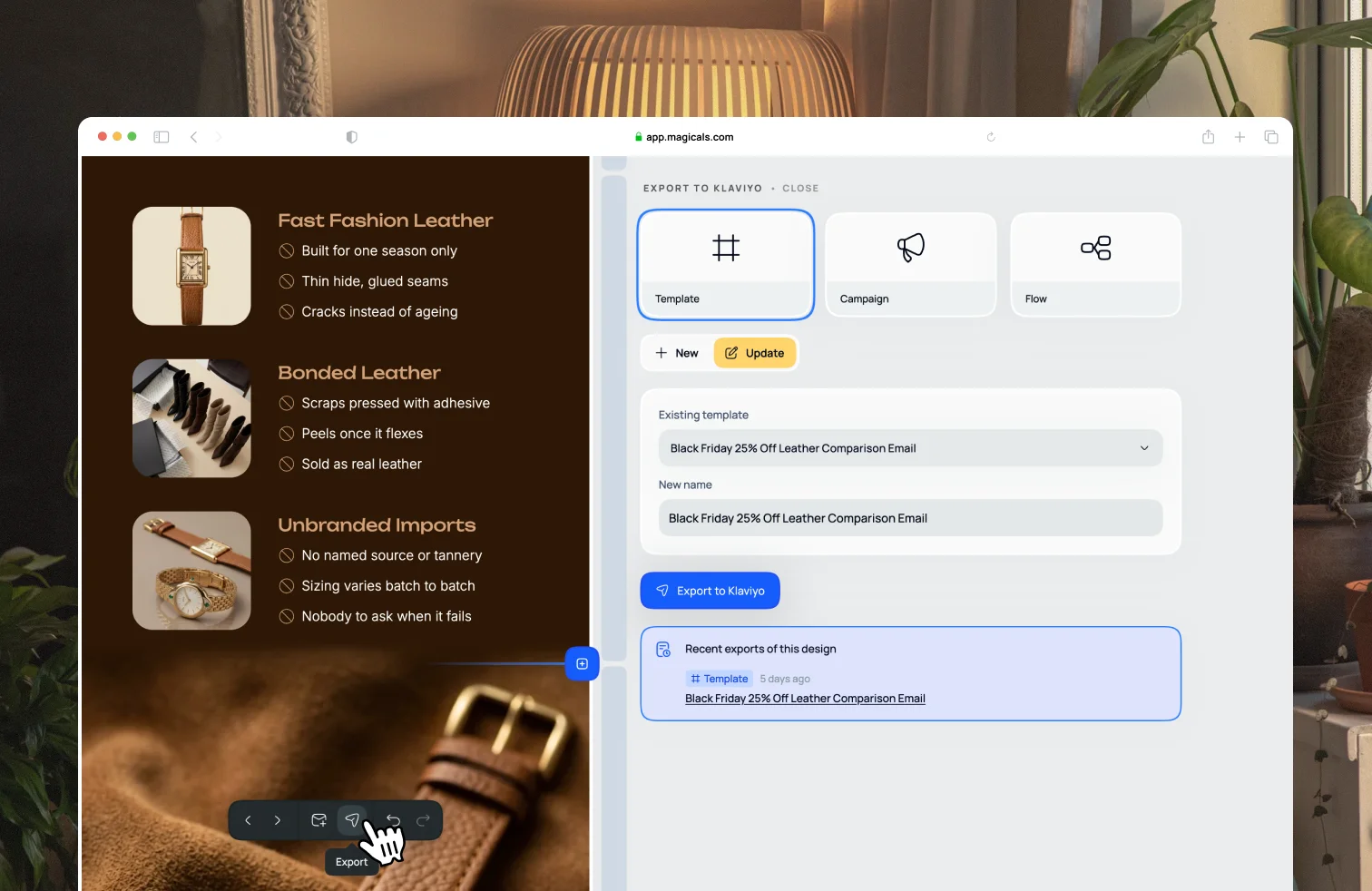
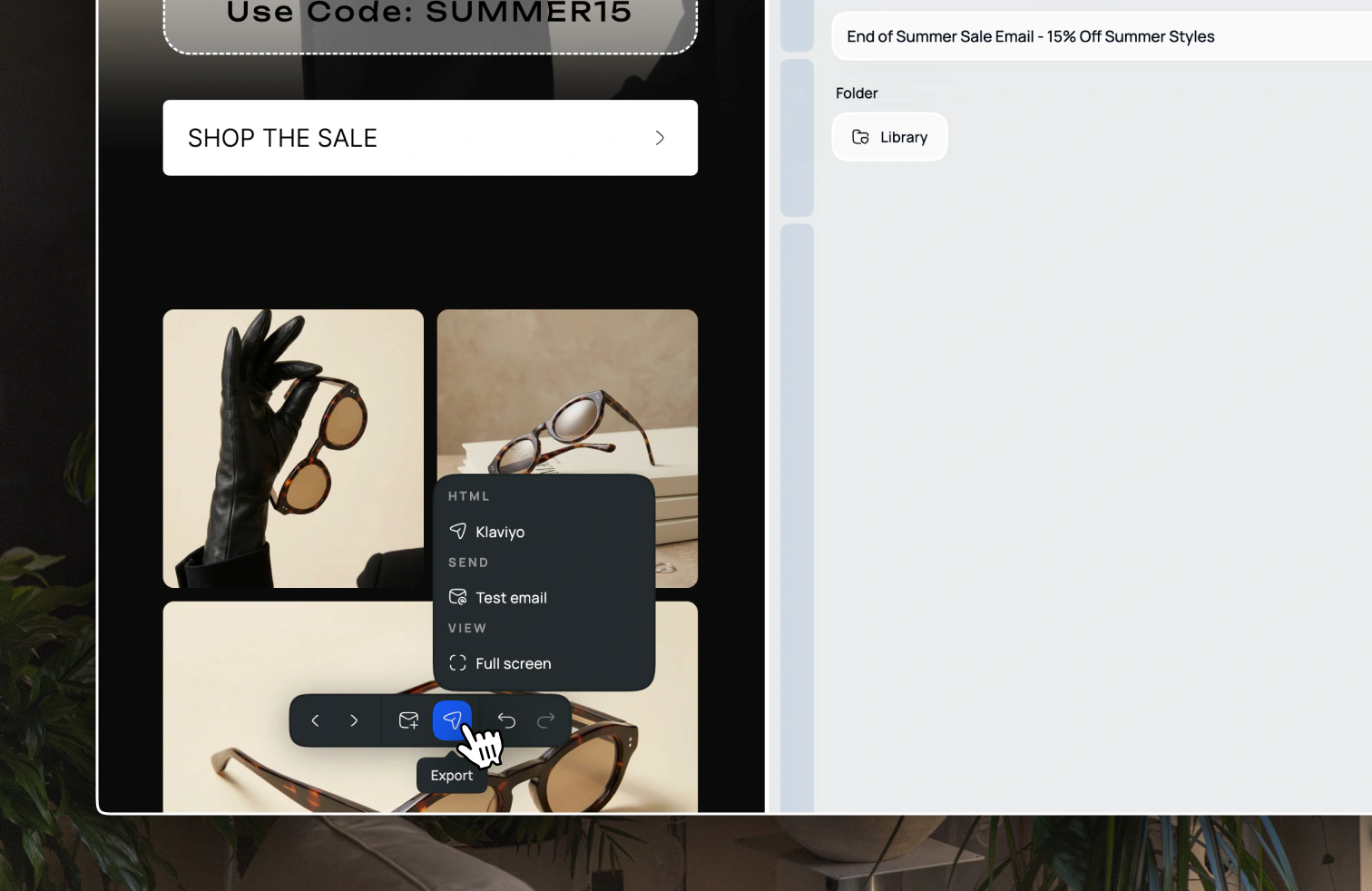
Open the email and choose Export → Klaviyo from the toolbar menu at the bottom of the screen. After you've connected Klaviyo, pick a destination:
- Template — create a new Klaviyo template, or update one you already exported
- Campaign — create a draft campaign, or replace the design on an existing one
- Flow — create a draft flow with one email step, or replace an existing flow email
Use New to create something, or Update to replace a previous export of this design. After it succeeds, open the result in Klaviyo from the confirmation.
Updating a live campaign or flow asks you to confirm first, because it replaces the existing design.
You can still use Export → HTML if you want the code instead.
Attentive
Go to Attentive and open a campaign or a journey (Attentive's name for a flow). Add an email message if you need one, then click Use HTML editor. You cannot switch between the HTML editor and the drag-and-drop editor later, so choose HTML from the start.
Paste in the HTML code you copied from Magicals, then click Preview to check the design. Click Save when you are ready.
Shopify Email
From your Shopify admin, go to Apps → Messaging (Shopify Email). Click Create campaign, then choose Code your own. Paste in the HTML code you copied from Magicals, or click Import and upload the HTML file you downloaded.
Give the campaign a subject line, choose who to send it to, then send a test before you send or schedule it.
Omnisend
Go to Omnisend and open Store settings → Saved templates. Click Import template. You can Paste in code with the HTML you copied from Magicals, or Import HTML and upload the file you downloaded.
Give the template a name, then import it. The template will appear on the Saved templates page, and you can select it when you create a campaign or automation.
Sendlane
Go to Sendlane and create a campaign or automation email. Choose the HTML builder (not the visual builder), then paste in the HTML code you copied from Magicals. HTML emails cannot be created from the templates page, so start from a campaign or automation.
Preview the email, then save it. You can save it as a template from the three-dot menu if you want to reuse it later.
HTML
If your sender is not listed above, export the email as HTML from Magicals with
Export → HTML. Copy the code and paste it into your provider's HTML or
custom-code editor, or download the file and upload it if they accept an .html
file.
The HTML is already optimised for email clients. After you paste or upload it, send a test from your provider before you send it to customers.