
Reviews
Import customer reviews from your review app
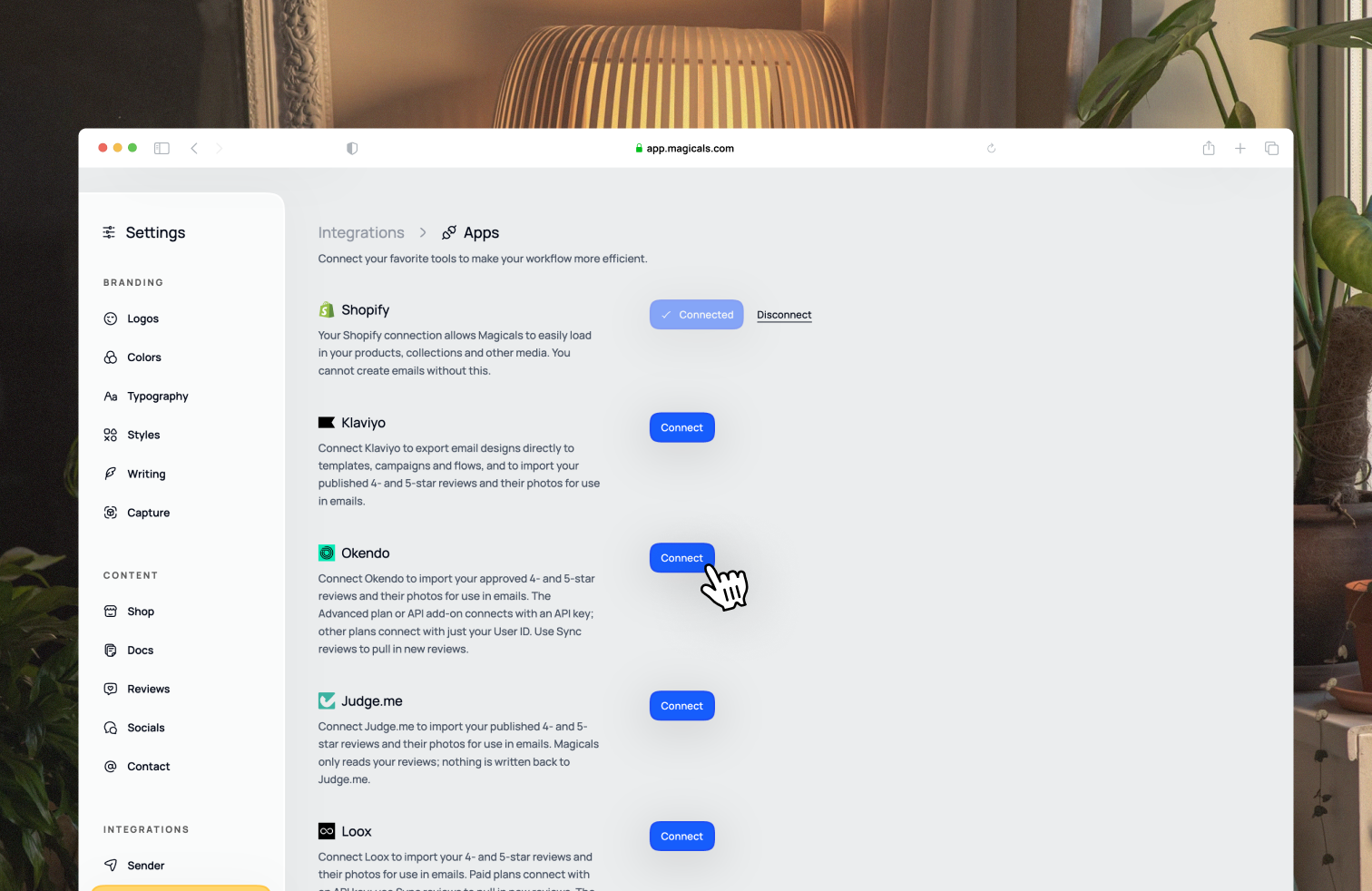
Connect your review app in Settings → Integrations → Apps and your best reviews will show up in Reviews, ready to use in your emails.
We bring in your 4- and 5-star reviews and their photos, up to your newest 5,000. We only read your reviews and never change anything in your review app.
Klaviyo
Click Connect and sign in to Klaviyo. If you already connected Klaviyo to export emails, you're all set.
If you see Update permissions, click it to let us read your reviews.
Okendo
Click Connect and choose your plan:
- Advanced plan or API add-on: enter your User ID and API key from Okendo Admin under Settings → Integrations → Okendo → Credentials. Your reviews stay up to date automatically.
- Any other plan: enter just your User ID from Okendo Admin under Settings → Integrations → Okendo.
Judge.me
Click Connect and sign in to Judge.me. Use the same store you connected to Magicals through Shopify.
Loox
Click Connect and choose your plan:
- Convert or Unlimited plan: enter your Public Store ID and API key from Loox Admin under Settings → API Keys. The key is only shown once, so copy it straight away.
- Free Beginner plan: in Loox Admin, open Manage Reviews, choose the product reviews tab and select Export to .csv from the ••• menu. Then upload the file to Magicals.
On the Beginner plan, upload a new export whenever you want to refresh your reviews. It replaces your previous upload.
Keeping reviews up to date
Click Sync reviews next to your review app to bring in your latest reviews. You'll see when they were last synced just below.
Imported reviews can't be edited in Magicals, so make any changes in your review app and then sync.
Click Disconnect to stop importing. Reviews from that app will be removed from Magicals.