
Templates
Use an existing email as a starting point
Generating every new email will not provide consistent designs. Once you've made your edits to a design, you'll likely want to reuse certain parts.
One way is to save sections and add them in new emails yourself, but this means you are building the email yourself, which is time-consuming. A better way is to use templates.
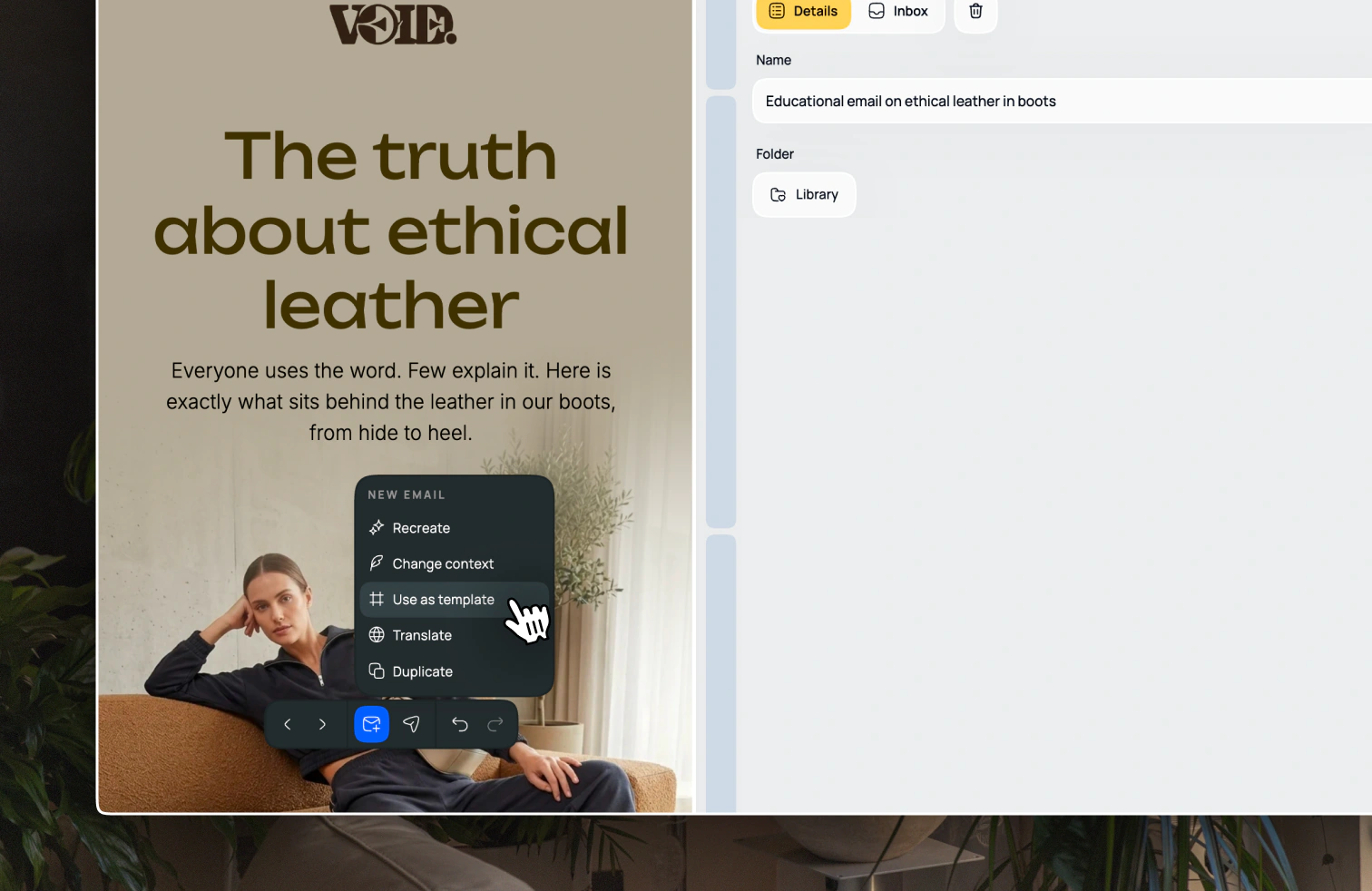
Open the email you want to repurpose and choose Use as template from the toolbar menu at the bottom of the screen. This will start a new draft email with the same context as the original email, and the Template context tab will be open.
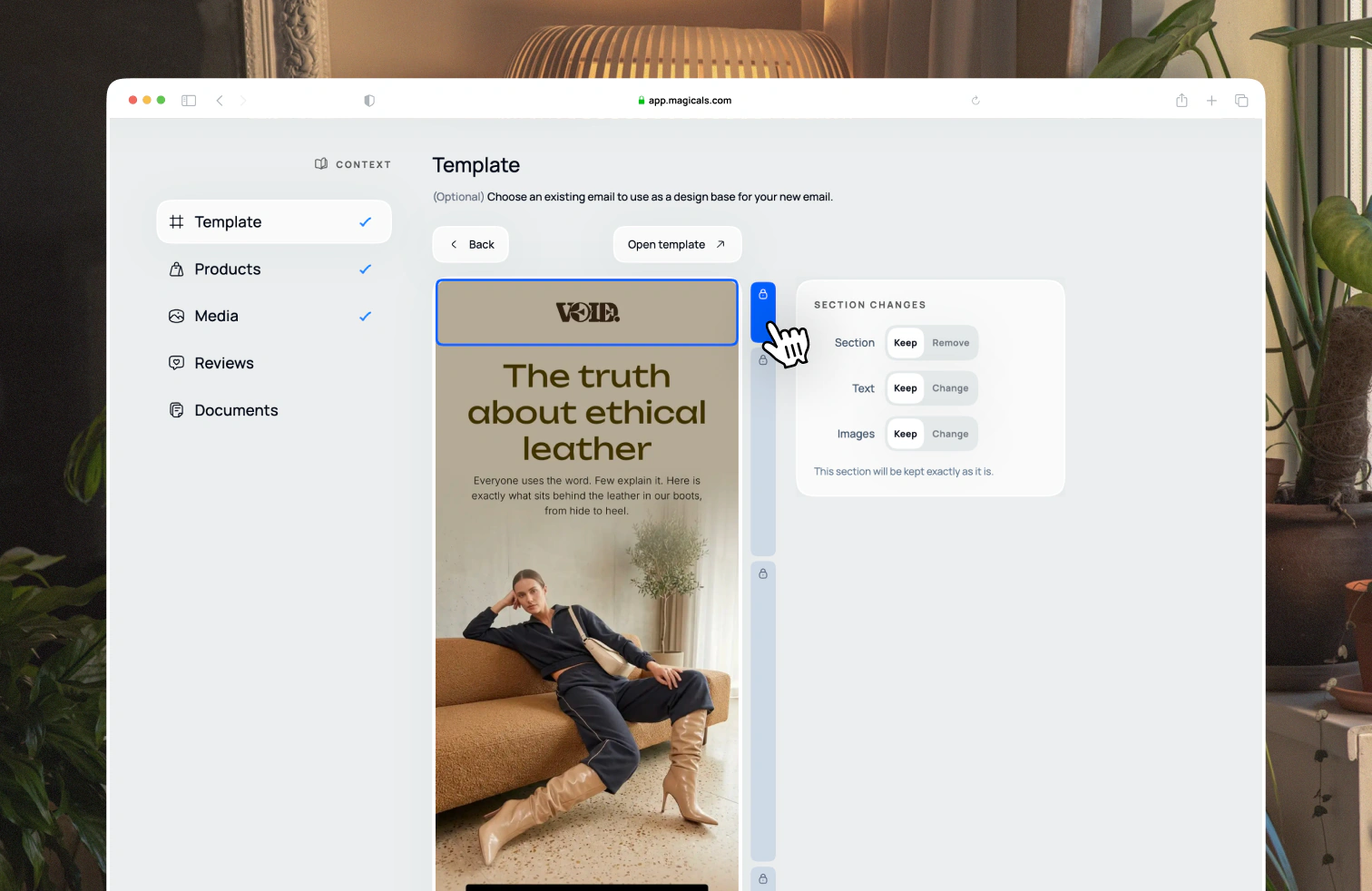
You can choose which sections you want to change and what to keep. By default it will keep everything the same. Depending on your prompt and other context, the new email may add new relevant sections.
Changing layout
Changing a section's layout will change the section's layout, text and imagery while keeping the same intention, unless you specify otherwise in the prompt.
Changing text
Changing text will keep the layout and imagery the same and only change the copy.
Changing images
Changing images will keep the layout and text the same and only change the images.
Changing products, collections or reviews
Changing products, collections or reviews will keep the layout the same and change the products, collections or reviews, including the imagery and text. You can specify which products you want to use in the Products context tab.
Removing a section
Removing a section will remove the section from new email.